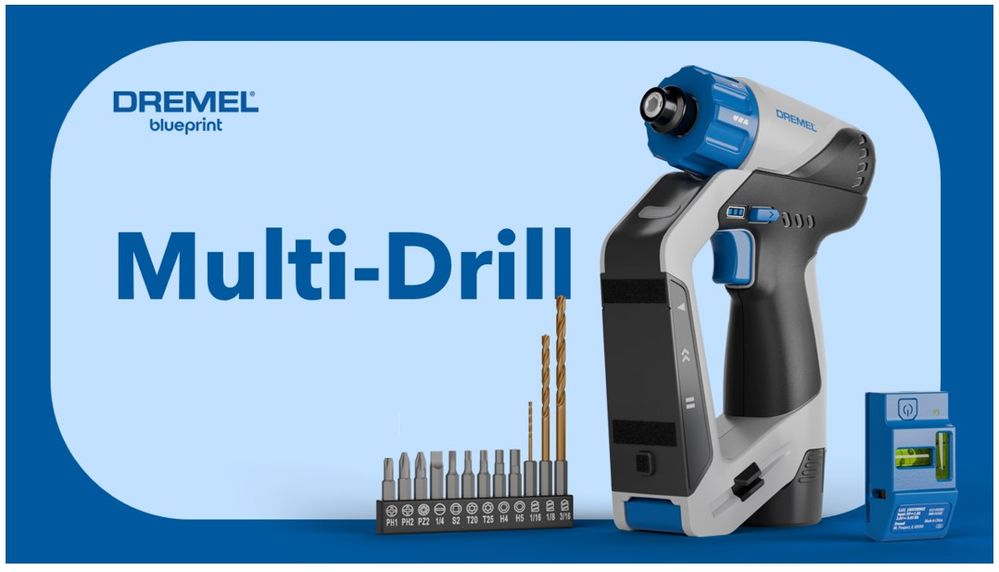
Key features of the all-new Multi-Drill:
- Compact 12V Drill: Tackle hanging, mounting, and fastening projects small and large with 12V brushless power.
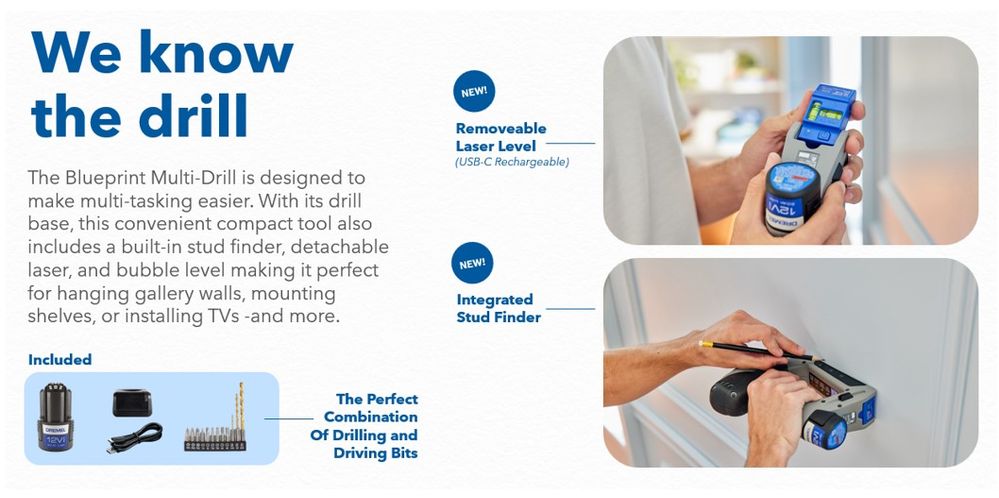
- Built-in Stud Finder: Never guess where to drill. The built-in stud finder makes it easier than ever to hang gallery walls, mount shelves, or install TVs.
- Detachable Laser Level: Easily align your projects again and again with the detachable laser level and reusable mounting putty. Whether you're hanging artwork or setting up a home theater system, the laser guides you every step of the way.
- Bubble Level: For those seeking perfection, our detachable line laser also includes a bubble level ensuring everything you install is straight. No more crooked shelves or tilted frames.
- Rechargeable 12V Brushless Power: Your convenient cordless go-to power source for Dremel Blueprint power tools.
Key projects
- Mount a TV to the wall using the drill, driver, stud finder and level features
- Assemble furniture
- Hang custom shelving using the drill, driver, stud finder and level features
- Replace or install outlet and light switch wall plates
Tool Specifications
Trigger: Variable Speed Trigger 0-800 RPM
Clutch: 21 Positions
Battery: 12V 2Ah Li-Ion
Up to 300 #6, 1.625” screws (in pine with one full charge, using a 2.0 Ah battery pack)
Torque: 20 N-m (175 in-lbs.)
Motor: Brushless
Weight: 3.85 lbs. (1.74 kg)
Dimensions: 11.13in. x 8.94in. x 2.63in.
Let's take a walk around the Dremel Multi-Drill

FAQs
We've got you covered, here's the most common questions when it comes to the Dremel Bluepoint Multi-Drill.
How do I attach the drill bit correctly?
Hold the drill with one hand and use the other to pull back the chuck (the clamp at the front of the drill). Insert the bit & release the chuck. Test that the bit is secure by trying to pull it out, without holding the chuck.
What do the numbers and icons on the drill mean?
Torque settings: The numbers refer to the torque (twisting force) settings on the drill. Higher numbers mean more torque, which is useful for driving screws into harder materials or for longer screws.
How do I use the laser level feature?
Turn on the laser level. Position the laser so that it projects a level line onto your work surface. Ensure you have it straight by checking the bubble. The laser level uses the included putty to attach it to the wall. Knead a putty ball between your fingers to flatten it and place it on the back of the laser lever and press it to the wall. Use the laser line as a guide to ensure your drilling or screwing is perfectly horizontal or vertical.
How does the stud finder work?
The stud finder detects the difference of materials up to 15mm depth. Firstly, observe what type of wall do you have – drywall, concrete or aerated concrete block. Make sure you have it flat against the wall, wait for calibration ~2sec, when the green arrows are lit, slide it along the wall. As soon as the red light is lit – you have found it. The tool will not tell you what exactly you detected, however by observing the environment you can make a good guess if it is a stud (usually 1.5 inches wide) or electrical cord (rather narrow) or some pipe.
How do I know if the drill is in forward or reverse mode?
Look for a blue switch above the trigger. It has a forward (clockwise) and backwards (counterclockwise) arrow symbol. If unsure, lightly press the trigger to see which way the chuck turns.
What should I do if the drill bit gets stuck?
• Reverse the drill: Set the drill to reverse mode and gently press the trigger.
• Hold the material: Make sure the material you're drilling into is held securely.
• Apply steady pressure: Apply steady pressure on the drill to help release the bit.
How do I choose the right drill bit for my project?
Match screw size: Select a bit that matches the belly of the screw, not the tip, for better control. The tool includes nine (9) Driver Bits (One each - PH1, PH2, PZ2, Slot ¼”, S2, T20, T25, Hex 4mm, Hex 5mm) and three (3) Drill Bits (1/16” twist bit, 1/8” twist bit, 3/16” twist bit).
Can I control the speed of the drill?
The speed of the drill is controlled by the trigger. The harder you press, the faster it spins.
What are the clutch settings for?
The clutch disengages the drill's drive shaft, making a clicking sound when a set resistance is met. This prevents stripping screws or overdriving them into the material. Higher numbers on the clutch indicate more torque, suitable for driving screws into harder materials.
Can I charge the laser level using a standard USB-C cable?
Yes, the laser level can be charged with a standard USB-C cable. The USB-C cable is already included in the kit.
Blueprint Multi-Drill Video
Where can I buy the Multi-Drill?
The Dremel Blueprint Multi-Drill is available for purchase in the United States starting January 7, 2025, and will be sold at Lowes.com, HomeDepot.com, Amazon.com, Menards.com, Walmart.com and Dremel.com for $99.99 MSRP.
Lowes
Home Depot
Amazon
We'll update this space a with links to other retailers as they become available!